
Hamraaz Login – How to Access Your Army Payslip
Need to check your Army payslip or Form 16 online? Don’t waste time with fake apps or broken links. Hamraaz Personal Login is the only official way to access your service details in 2025. The mobile app is gone — now everything runs through the secure Hamraaz web portal.
This guide walks you through it step by step. Whether you’re logging in for the first time, forgot your password, or just want to download your payslip, you’ll find everything here. Clear instructions, no jargon, no confusion.
How to Sign Up for Hamraaz Personal Login
if you are using the hamraaz web for the first time then you need to creat you personal login first lets discuss how to do it.
- Go to the Official Hamraaz Website
- Open any web browser (like Chrome or Safari) and go to the official Hamraaz portal: https://hamraazmp8.gov.in.
- On the homepage, you’ll see a “Sign Up” button — click it to begin the registration process.

- 2. Verify Your Identity
- On the Sign-Up page, enter your Employee ID and your Date of Joining in this format: DDMMYY (for example, if you joined on 5th March 2020, enter 050320).
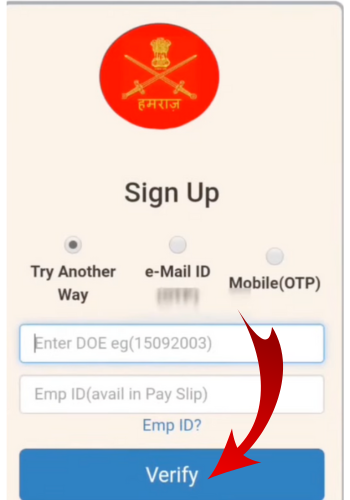
- 3. Confirm Your Details
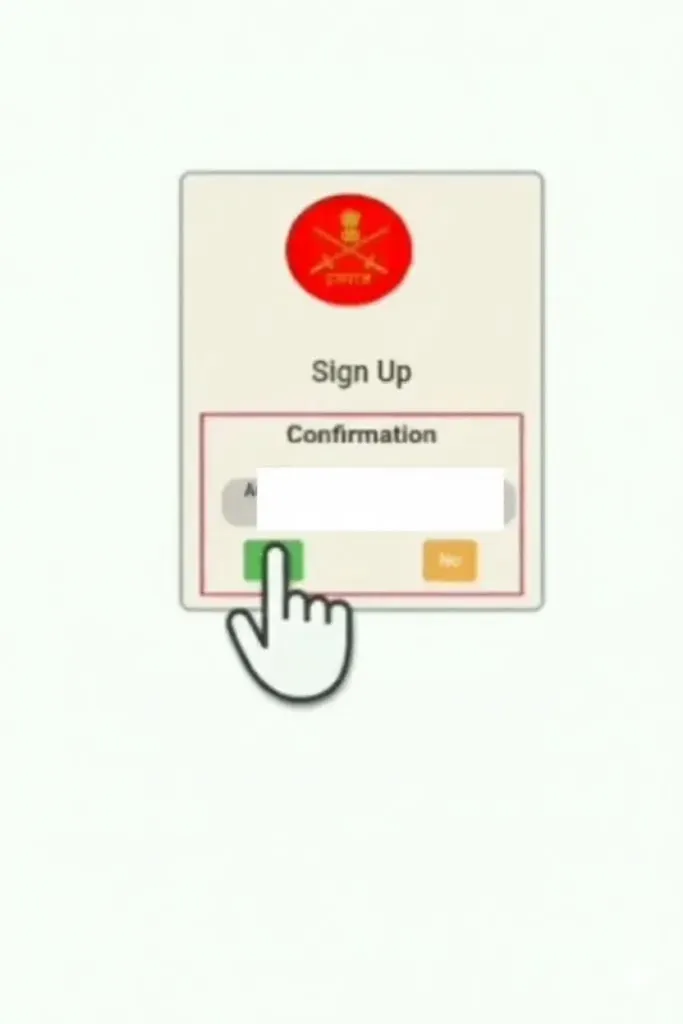
- Once you enter your info correctly, the system will show a confirmation screen with your basic details.
- Take a moment to review everything carefully. If it all looks correct, click “Yes” or “Confirm” to move to the next step.
- Create a Strong Password & Choose a Security Question
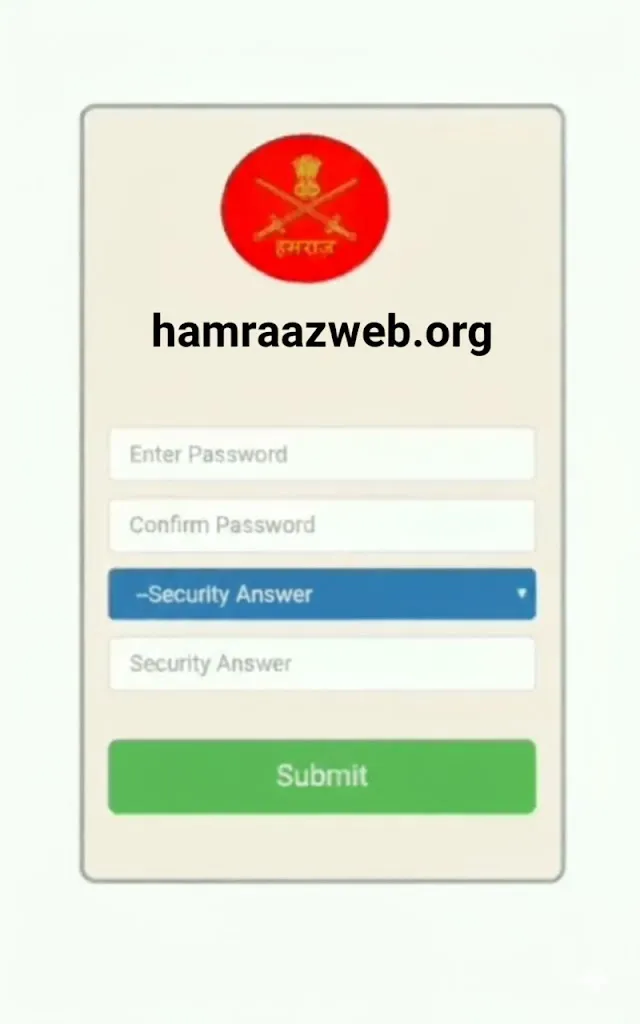
- Now it’s time to set your login password. It must be strong and secure.
- Your password should include:
- Uppercase letters (A–Z)
- Lowercase letters (a–z)
- At least one number (0–9)
- One special character (like @, #, $, !)
- Next, choose a security question (like “What is your birthplace?”) and type your answer. This will help you recover your account if you ever forget the password.
Make sure you remember both, then click Submit to complete the sign-up.
5. Log In with Your New Credentials
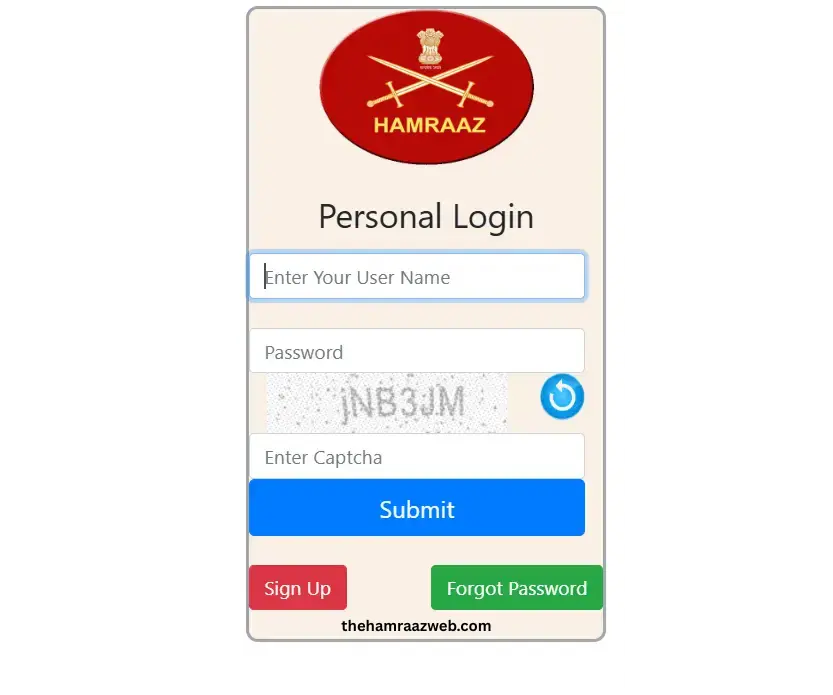
Once you’ve completed the sign-up, head back to the Hamraaz homepage and click on “Personal Login.”
- Username: Your PAN number (in UPPERCASE letters)
- Password: The one you just created during registration
Complete Process of Login
Logging into the Hamraaz portal is quick if your details are correct and secure. Here’s how to do it from start to finish:
- Go to the official website
- Visit https://hamraazmp8.gov.in using a trusted browser.

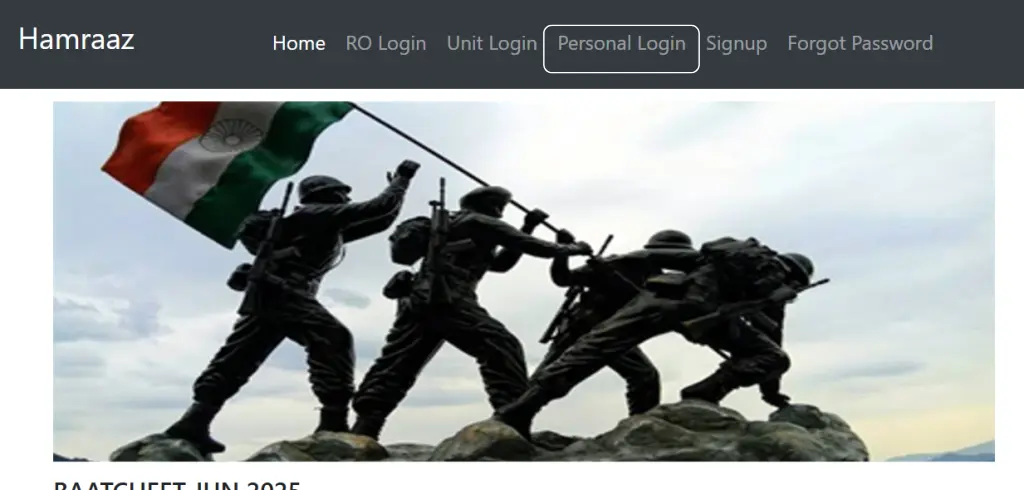
- Click on “Personal Login”:
It’s right on the homepage this is where you’ll enter your credentials.
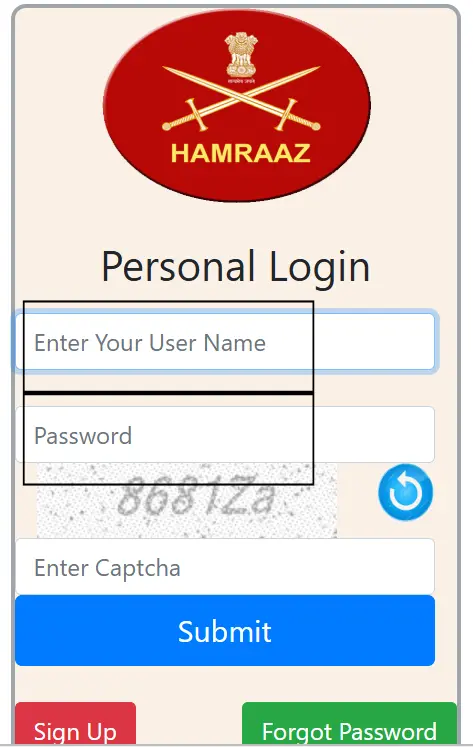
- Enter your login details:
- Username: Your PAN number (uppercase)
- Password: The one you created during registration
- Fill in the captcha code shown on the screen
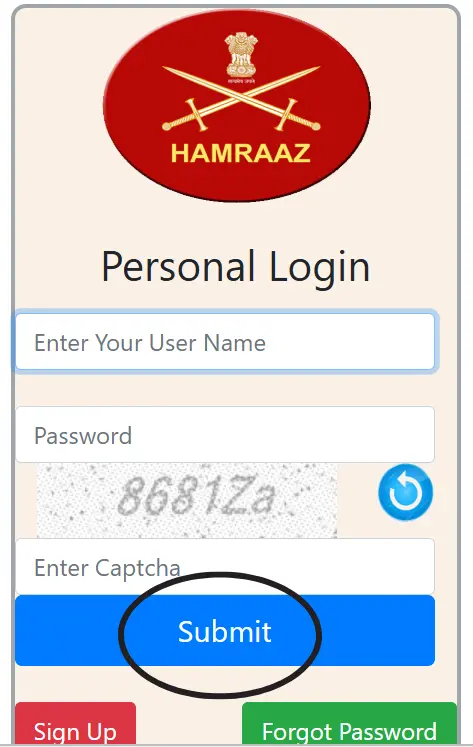
- Access your dashboard:
- If everything is correct, you’ll be taken to your personal dashboard where you can:
- View and download payslips
- Access Form 16
- Update profile information
- Check service details and more
Features you will see after login
Payslip Download
View and download your monthly payslips. You can choose any month and year to see your full salary breakdown including allowances, deductions, and net pay.
Form 16
Get your Form 16 directly from the portal for income tax filing. This document shows your total income and the TDS deducted during the year.
Profile Information
Check and update your basic details like name, rank, unit, contact number, and email address. Keeping this info updated is important for alerts and recovery.
Password & Security Settings
You can change your login password or update your security question for better protection.
Contact Details Update
Update your mobile number or email ID in case you’ve changed them. This is important for receiving OTPs and system alerts.
Service Info & Other Documents
Depending on your access level, you may also be able to see:
Transfer/posting details
How to Reset Your Hamraaz Password
Forgot your password? No problem — here’s how to reset it safely:
- Go to the official Hamraaz website:
Open your browser and type https://hamraazmp8.gov.in.

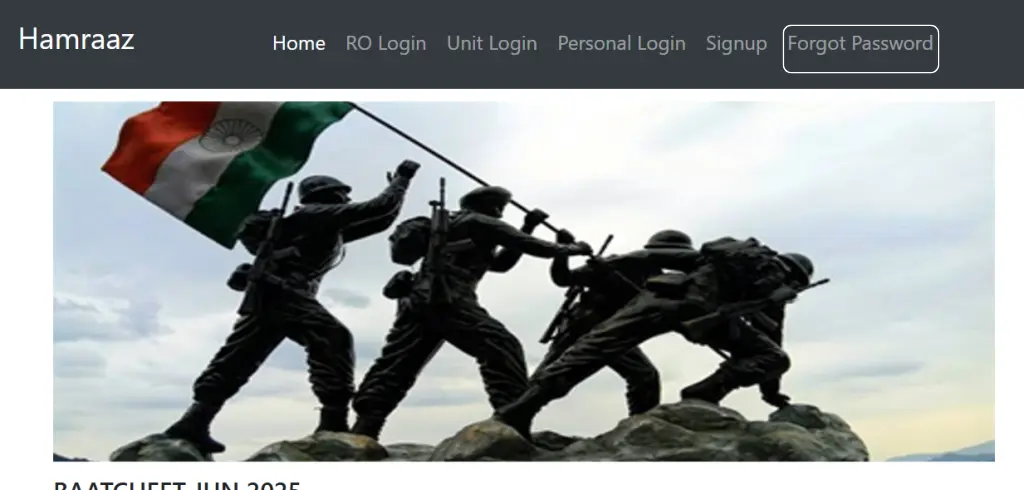
- Click on “Forgot Password”
You’ll see the “Forgot Password” option at the top of the homepage. Click it to start the reset process.
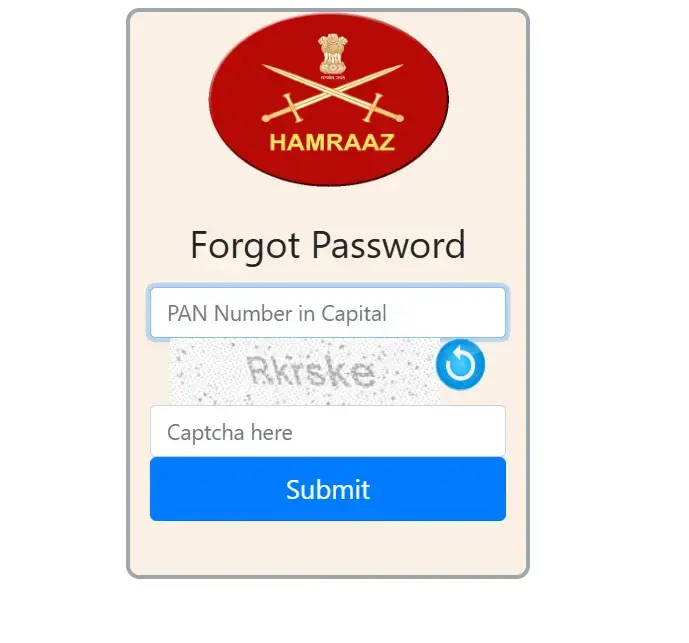
- Enter your PAN number:
Type your PAN in capital letters and complete the captcha to continue.
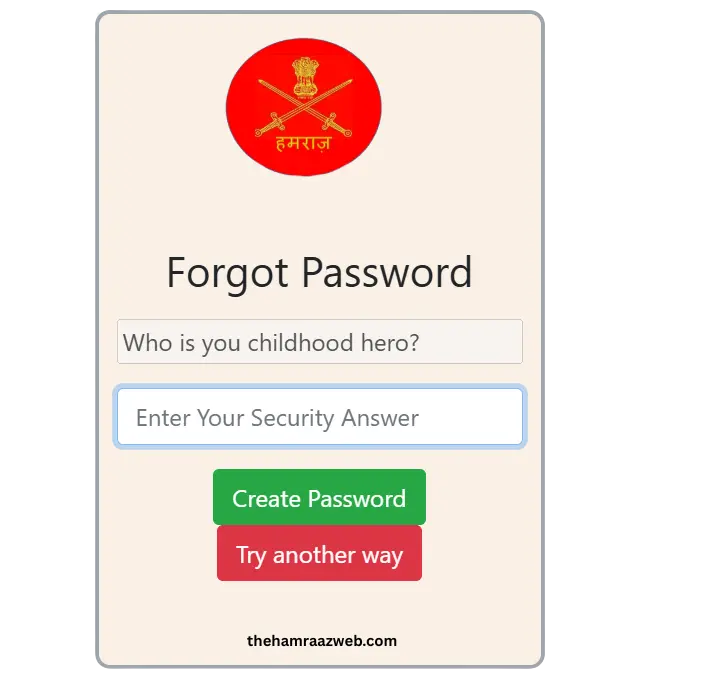
- Answer your security question:
You’ll be shown the security question you selected during sign-up. Enter the exact answer you gave before.
Choose a verification method:
If the answer is correct, you’ll be asked to verify your identity — usually through mobile OTP or another method.

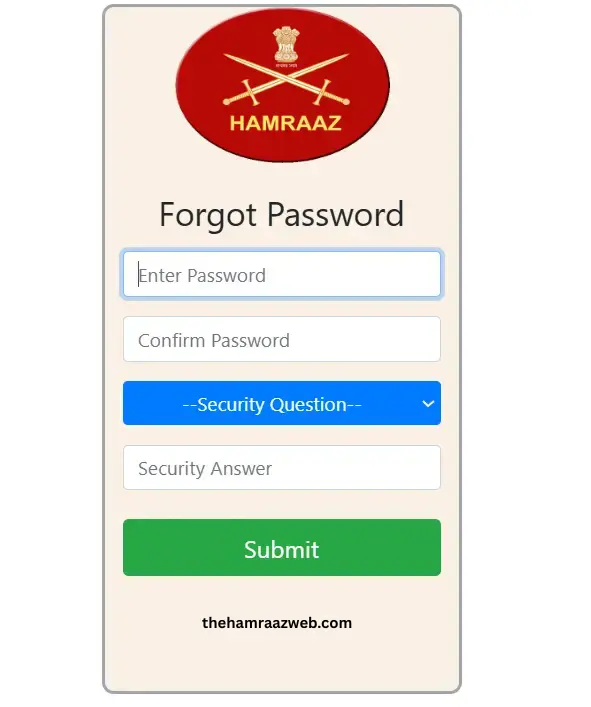
- Set a new password:
Once verified, create a strong new password using uppercase and lowercase letters, numbers, and a special character.
Set a new password:
Once verified, create a strong new password using uppercase and lowercase letters, numbers, and a special character.
How to Update Your Mobile Number or Email in Hamraaz
Your mobile number and email are the main ways Hamraaz contacts you — whether it’s for OTPs, service updates, or login recovery. If your contact details have changed, it’s important to update them right away to avoid any future login issues.
Here’s how to update your mobile number or email in just a few easy steps:
1. Open the Hamraaz Website
Start by launching a browser on your phone or computer.
Go to the official site: https://web.hamraazmp8.gov.in
Make sure the link ends with .gov.in — that confirms it’s the real portal.
2. Sign In to Your Account
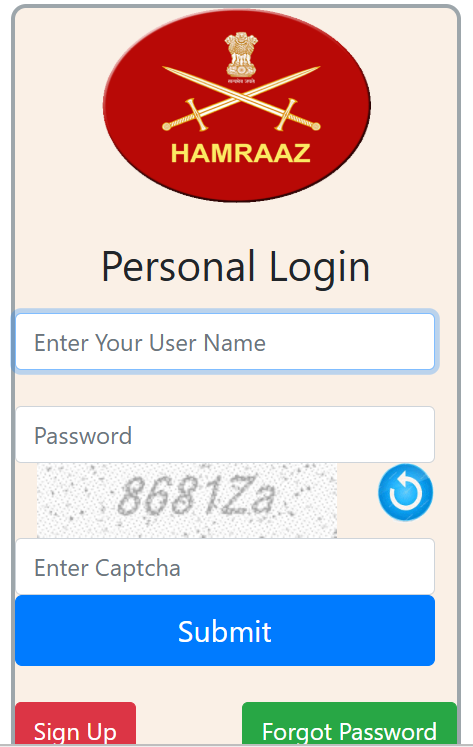
Use your PAN number (in capital letters) as your username.
Enter your password and complete the captcha.
If you don’t remember your password, click “Forgot Password” and follow the reset process first.
3. Go to the Profile Menu
After logging in, look near the top of the screen where your name is displayed.
You’ll notice a small menu icon — usually three horizontal lines or a dropdown arrow. Tap or click on it.
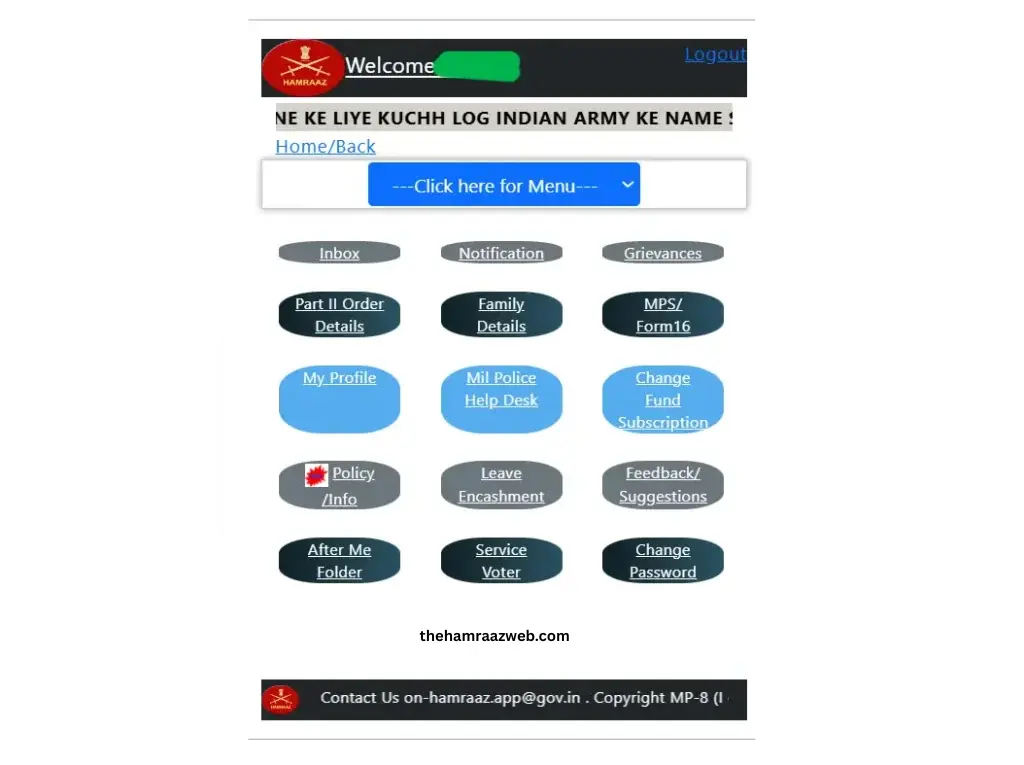
4. Select “My Profile”
In the menu that appears, choose the “My Profile” option.
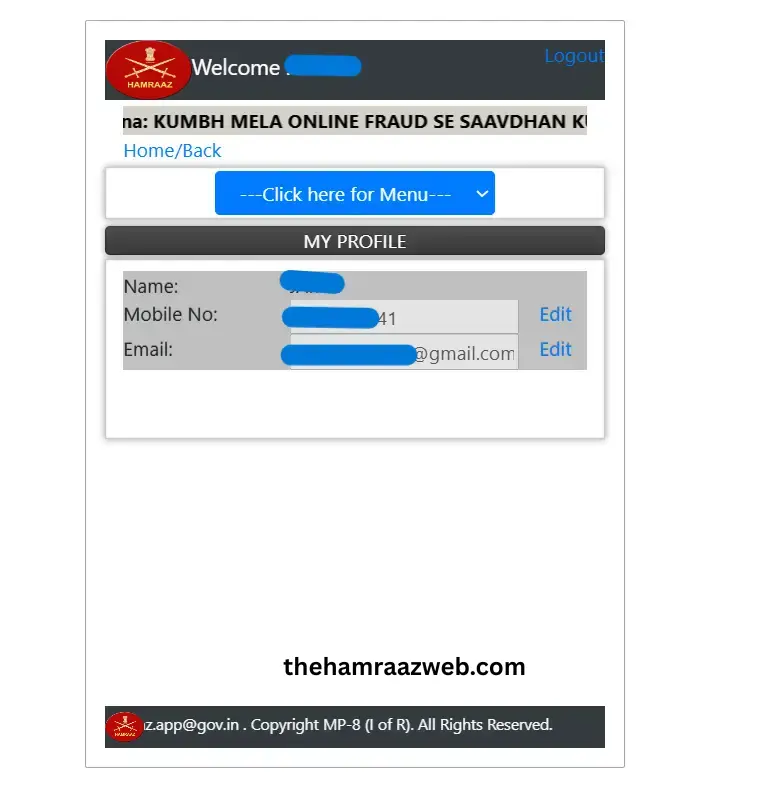
This will take you to a page showing your current contact details and other personal information.
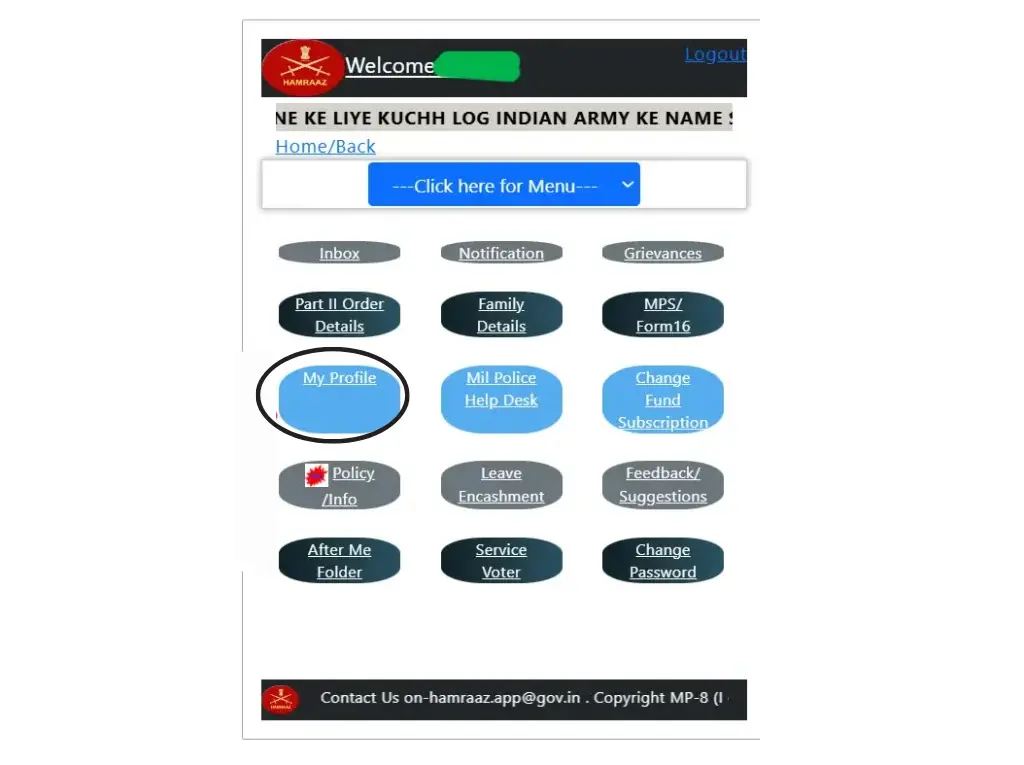
5. Edit Your Contact Info
Next to your mobile number or email, you’ll see a small pencil icon.
Click on it to begin editing that section.
6. Enter the New Number or Email
A small box will appear where you can type your new mobile number or new email address.
Once you’ve entered the correct info, hit the “Send OTP” button.
7. Verify the OTP
You’ll receive a One-Time Password (OTP) on the number or email you just entered.
Type that OTP into the space provided, and then click “Verify”.
If the code is correct, your updated details will be saved instantly.
Tips While Changing Mobile Number or Email in Hamraaz
✅ Use an Active Number and Email
Only enter a number and email that you personally use and have access to. You’ll need them for OTPs, alerts, and password resets.
✅ Avoid Typing Mistakes
Double-check every digit and letter before hitting “Send OTP.” A small typo can send your OTP to the wrong person — and lock you out.
✅ Keep Your Old SIM Active Until Update Is Done
If you’re switching numbers, keep the old SIM card active until the new one is verified — just in case something goes wrong.
✅ Do It from a Secure Device
Avoid updating your contact details on public or shared computers. Use your personal phone or laptop to keep your data safe.
✅ Update One at a Time
Change either your mobile number or email first — not both at the same time. It helps avoid verification errors.
✅ Don’t Share OTPs With Anyone
Even if someone claims to be from support — never share your OTP. The system is fully automated. No real official will ever ask for it.
FAQs
Conclusion
The Hamraaz Personal Login portal is a crucial tool for Indian Army personnel. It gives you direct access to your payslips, Form 16, and service details — without relying on paperwork or waiting in line.
But to use it smoothly, your login details must be correct, and your contact info must stay up to date. Following the official steps, using a secure connection, and keeping your password strong will ensure your data stays safe and accessible.